
Use case
Triage incoming issues and prepare a response for review.
An IT operations team authorizes an agent to read the approved issue queues, gather context and draft a response. People review before anything is sent or changed.
- 08:12:00grantqueues IT-HELP and NET-OPSALLOWED
- 08:12:03readIT-HELP #2291ALLOWED
- 08:12:06readrunbook vpn-resetALLOWED
- 08:12:11readHR-CASES #88BLOCKED
- 08:12:18draftresponse for IT-HELP #2291ALLOWED
- 08:12:19updateticket statusAPPROVAL SENT
- 08:12:20deliverdraft ready for reviewDONE
Example Envelope
Agent Envelope · Authority for a defined task
- Allowed
- Read approved issue queues and their context.
- Blocked
- Change systems of record or act outside the approved queues.
- Delegated
- Helper agents get the same or narrower limits.
- Approval required
- Sending a response or changing a ticket goes to a person for review.
Illustrative workflow. We confirm systems, limits and approvals with your team during scoping.
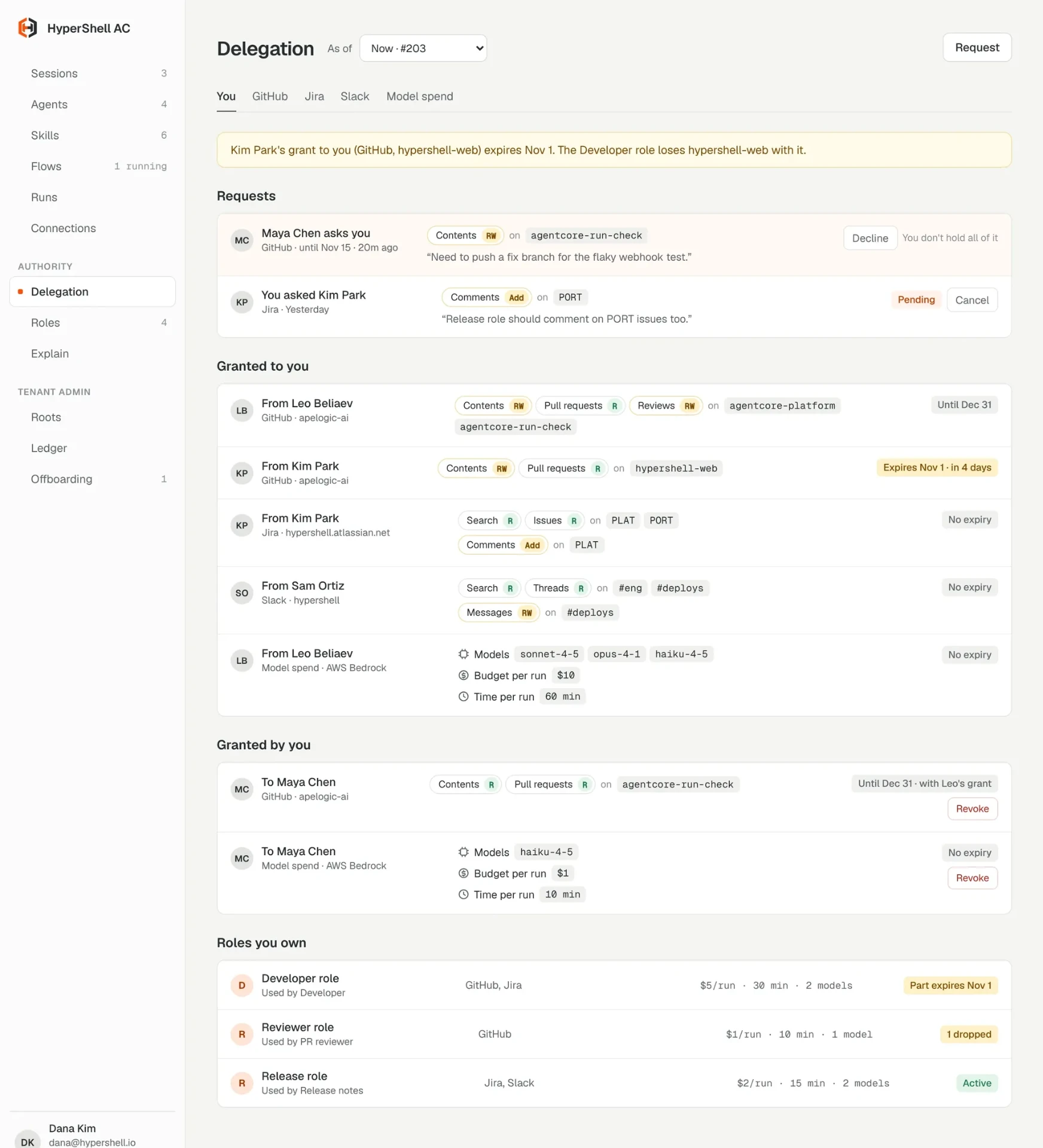
How the Envelope works
01
Define the authority
The queue owner grants the approved queues, context sources, models and a spending limit.
02
Enforce the limits
The agent can read and draft, but cannot act outside the Envelope.
03
Show what happened
Reviewers see the proposed response with the context behind it. Every action is linked to the original grant.
Measure of value
Manual triage effort.
Agreed with your team at scoping, and verified against your own telemetry.
Integrations today
- Jira
- Slack
How we start
01
No costScope
Workflow scoping session
Pick one workflow. Agree on its access and spending limits and a measurable success criterion.
02
Scoped separatelyDeploy and build
Implementation engagement
HyperShell engineers deploy the platform in your environment, connect approved systems and build the first workflow with your team.
Run and expand
Annual subscription
Governance platform, supported runtime management and ongoing support. Add workflows, users and agents as you grow.
Other use cases
Scope this workflow with your team.
Bring a workflow owner and a security or platform lead. Leave with a proposed workflow scope, access and spending limits, and a measurable success criterion.